Plumbing: Upstairs Shower

We originally imagined that we would completely remodel the master bathroom, and keep the other full bath upstairs as it was. When we went to get a new showerhead, we thought that we should just change the whole kit to brushed steel instead of chrome.

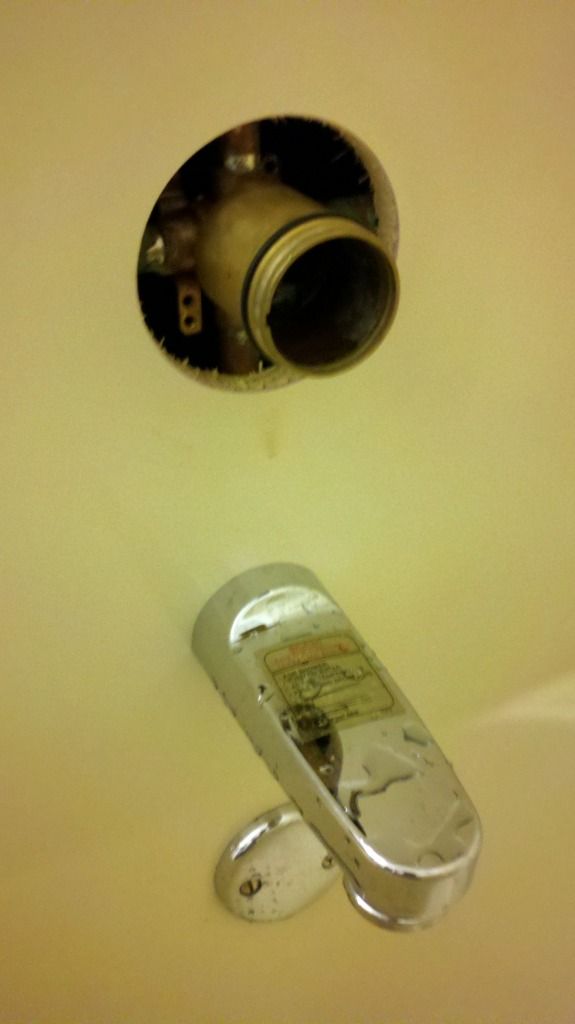
We found a cheap kit at Menards on clearance, but when we went to install it, we learned that it was for new builds. We had no way of installing it into our current tub surround. We then went to Home Depot and bought a universal kit that was meant to retro fit into tub surrounds. Only after taking everything apart and trying to install it did we realize that our valve was not compatible. We thought that this big brass ring would come off.

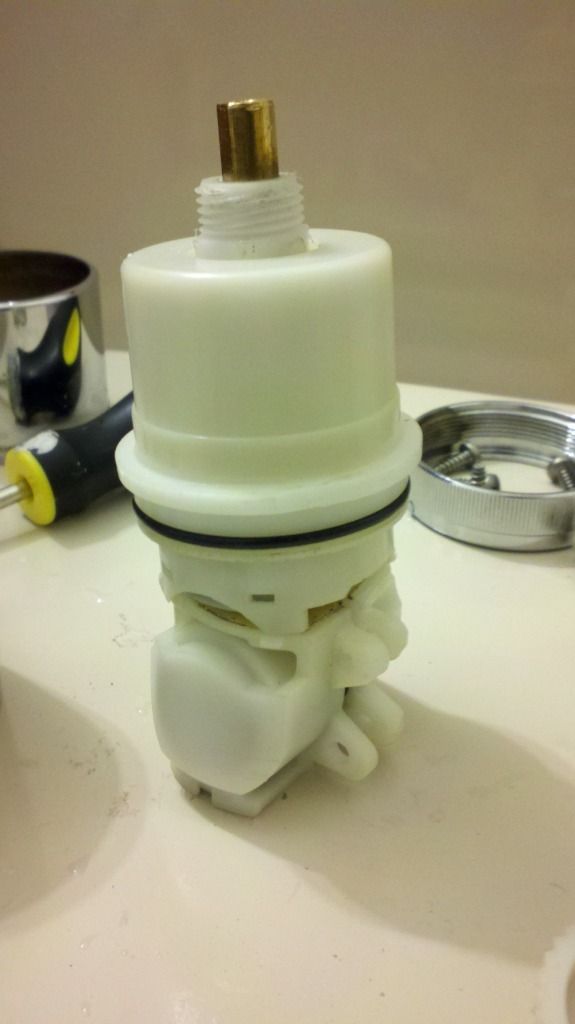
It does not. We have a delta monitor handle from the year the house was built (1992). My parents house, built nearby in 1994, has the same ones. We learned that their valves use proprietary cartridges, and are therefore difficult to replace. Furthermore, the replacements available now in a typcial hardware store do not fit with the one we have, which looks like this:

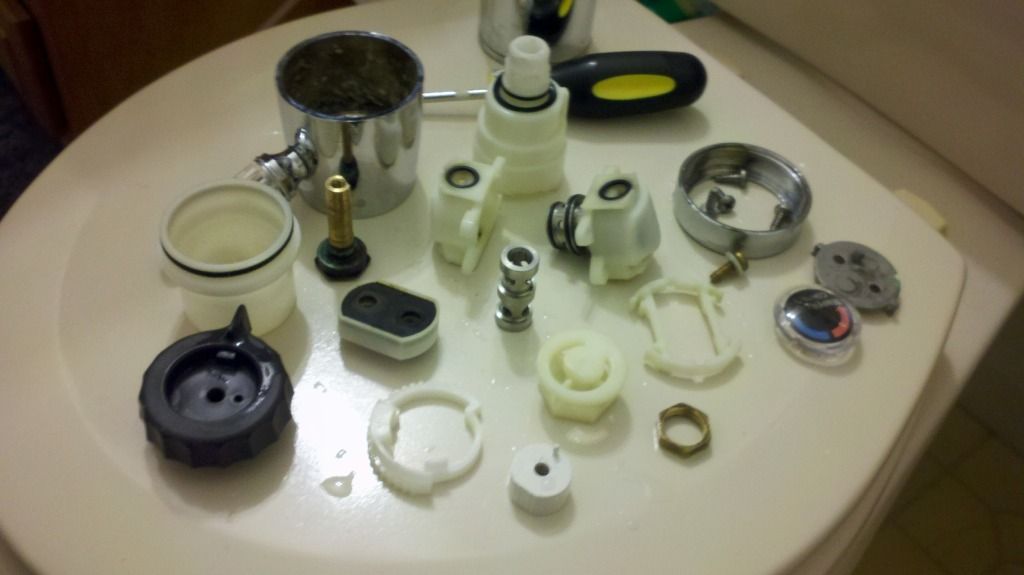
It’s not completely snapped together in this picture, but that’s the interior of the handle. The guy at Home Depot said that maybe if we took it all apart, we could change that little medal tip to be smaller or different, and then we would be able to buy a new handle. This was his advice without seeing it, only then did he recommend a new cartridge, which was still incompatible. This is what it looked like in pieces:

In my opinion, it’s grossly over-engineered. The other handle interiors are a single metal spout, but those of course require a different valve. This is more like a valve and handle in one. The worst part about this was we had to reattach the handle whenever we needed water elsewhere in the house, and this project spanned two days. Because we would have to cut open the wall and cut out the valve to replace it, we decided to leave it and just get a chrome showerhead.

Plumbing: Kitchen Sink

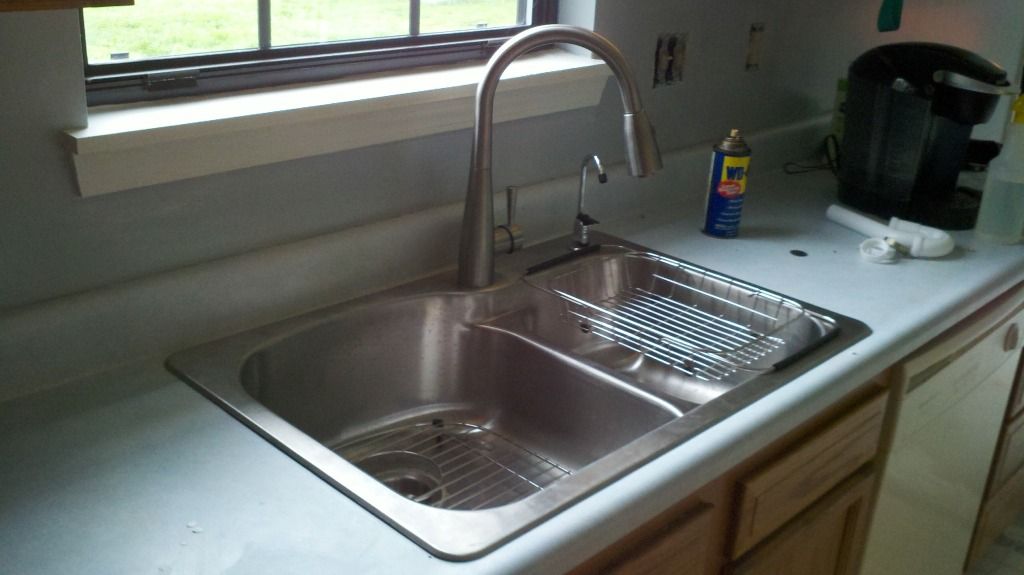
We had no big plumping problems in the last house, but have not been as lucky this time. First was the kitchen sink, which had a profusely leaking faucet. We tried to replace it, but could not get it off the sink due to rust and overtightened plastic. 
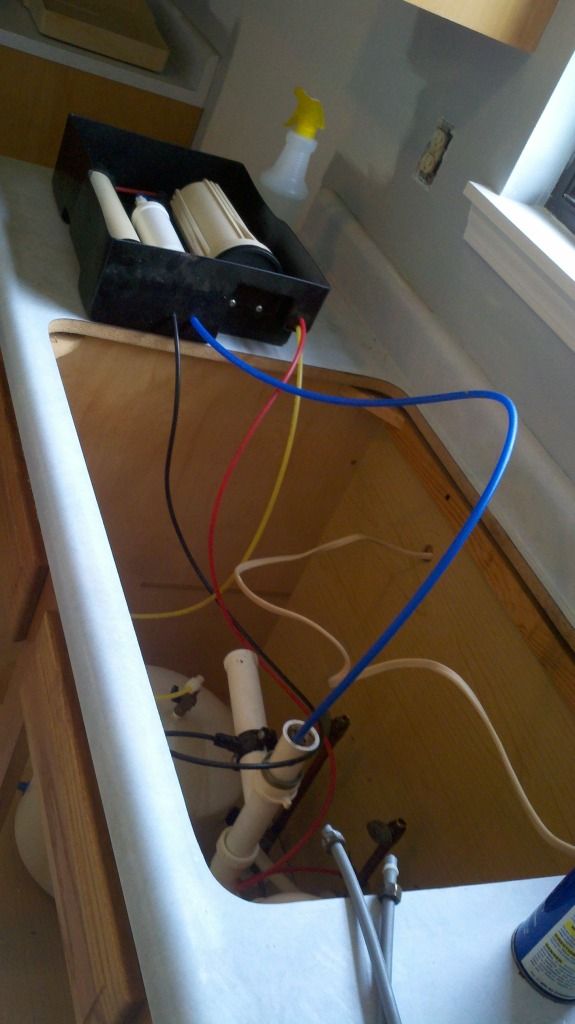
So, we bought a new sink kit for about $250. It came with a pull down sprayer faucet, custom fit metal drying rack and basket, the sink itself, and a soap dispenser. Aaron worked on removing the old sink, but ran into a problem: he didn’t know how to turn off the water purifier, which meant that he could take off the sink without making a bit of a mess.

A mess was made and the sink came off, a mess was continually made the next day when the sink was reinstalled with a new water dispenser, since the last one was broken while removing the old sink. 

The garbage disposal was on the left side originally, but this sink had the smaller side on the right. There isn’t any reason you can’t have the disposal on the bigger side, and may even prefer it on the bigger side, but I wanted it on the smaller side. The drain goes back into the wall on the right, which was now behind the garbage disposal. Therefore, Aaron did some under the sink shenanigans to get everything to drain properly.

Fireplace Remodel: Part One

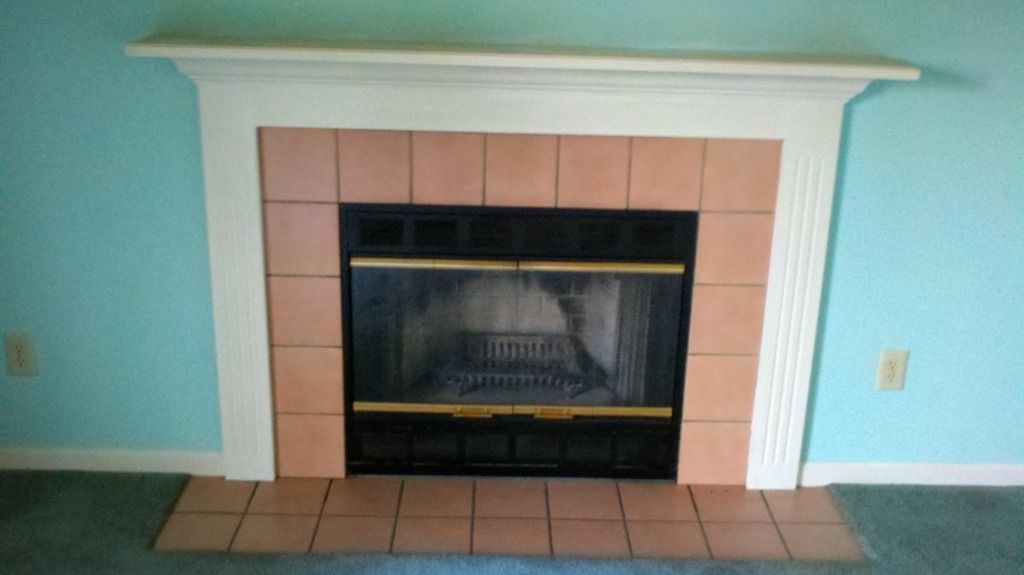
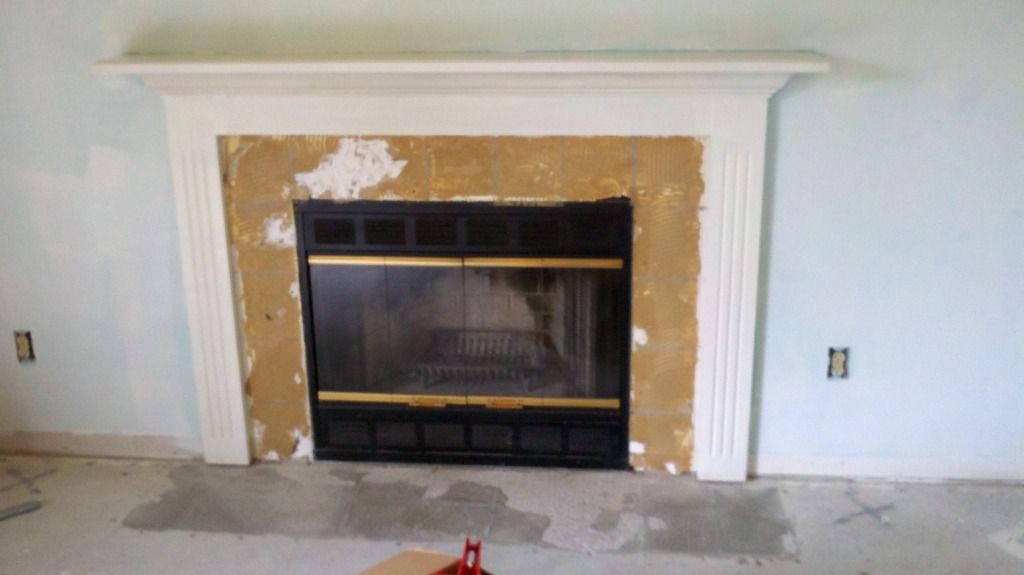
There was nothing wrong with the fireplace, but we knew that pink tile would not match any of our stuff. After tearing up the carpet, we used hammers and crow bars to smash the floor tiles off. When we got to the surround, we realized that the tiles were affixed to dry wall, and almost accidentally pulled off a big hunk of the wall. In troubleshooting how we were going to get the tiles off without damaging the wall too much, we learned that giving them one good whack broke the tile, and the broken tile fell from the wall. There were only a couple places where the tile stuck and we had to pry it off, damaging the wall.

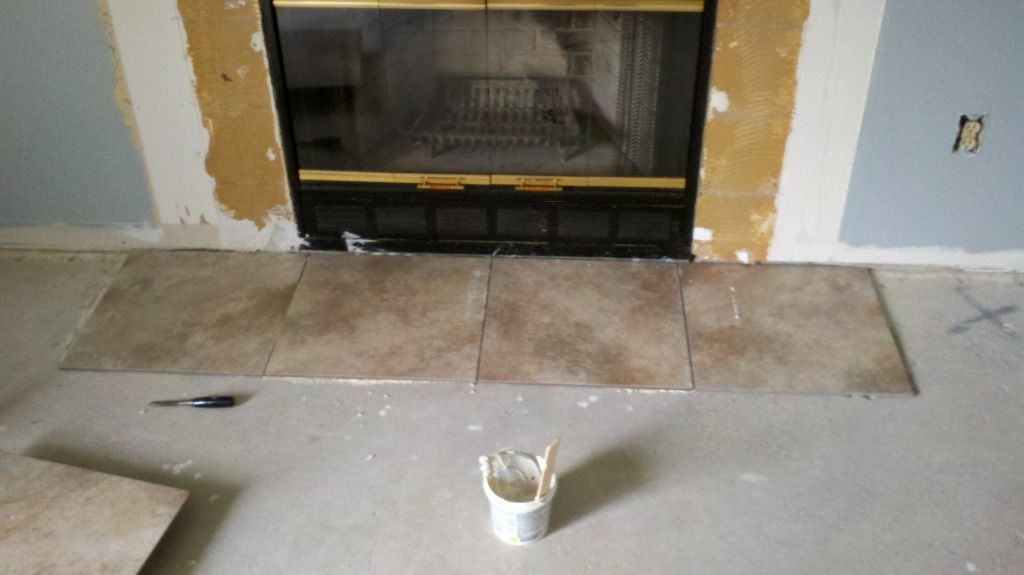
I tried to leave the pieces of the trim on, but eventually had to remove them to get all the tile off, and place the new tile. We bought large square tiles for the floor and glass mosaic tiles for the wall.

I wanted to get the floor tiles down so we could lay the main room flooring, but couldn’t put up the wall tile until we repaired the holes left by the old tile. We should have just cut it out and replaced it, but we filled it in layer by layer instead. Waiting for each layer to dry took a day, so it was almost a week before it was done.

Kicking Up Dust

We spent the first full day at the house, mostly getting things organized and prepping for paint. Aaron took off most of the baseboards and my dad and I primed the kitchen and family room. Mom brought us dinner, and after they left we stayed to finish up and clean. Aaron was trying to replace the leaking kitchen faucet, but due to overtightened bolts and corrosion, we had to take out the whole sink. It took a while and we made a huge mess but we got everything cleaned up by 9pm.

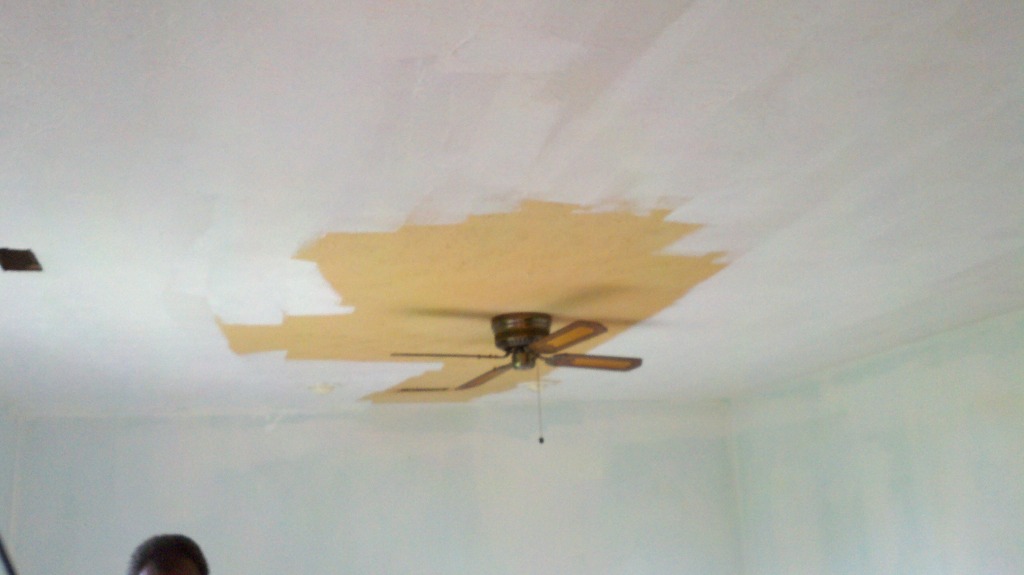
This is how un-white our ceiling was. The previous owners were smokers, and this room was by far the worst. You can tell that the ceiling started out white because the creases of some of the corners are still white. This is the first time I’ve painted a ceiling, and it went pretty fast. My dad broke his extension pole, but luckily had a spare.

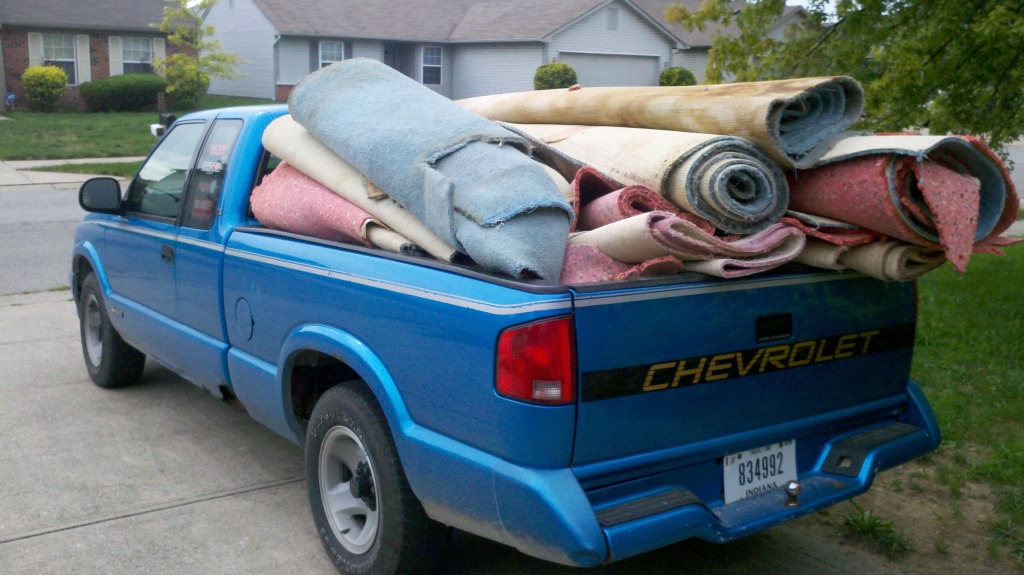
This is my dad’s truck, loaded up with carpet to take to the dump tomorrow. We pulled all of this out yesterday, and Aaron carted it outside today. We were glad that all three bedrooms and the family room carpets fit so we only have to make one trip. You can see the horrible brownish discoloration on the top roll. It was all pretty nasty.


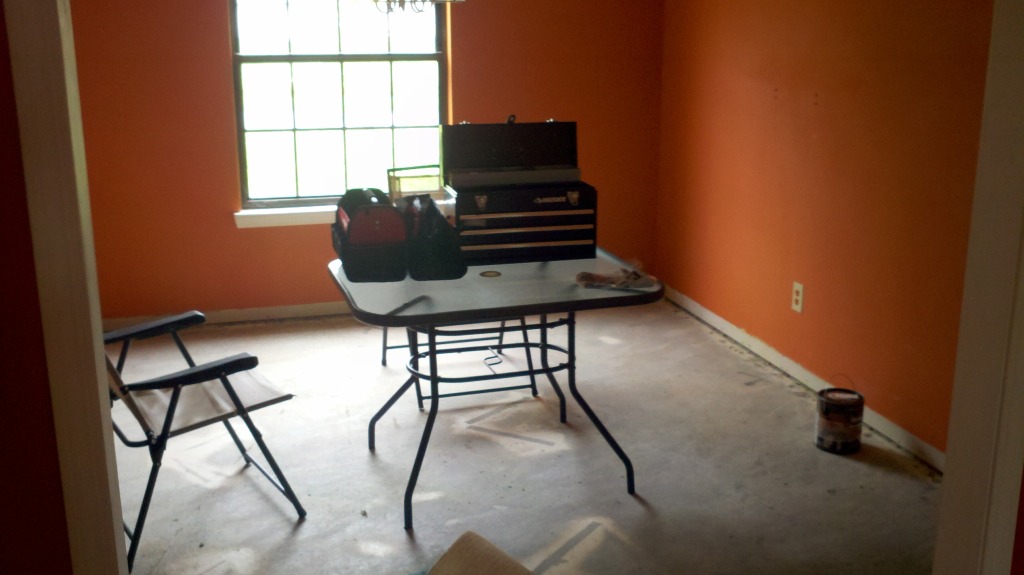
We’re keeping it classy with our lawn furniture in the dining room. It gives us a much needed extra table, and a place to sit and eat. All of our other furniture will remain tucked away in the storage unit until we are done cleaning, laying flooring, and painting.

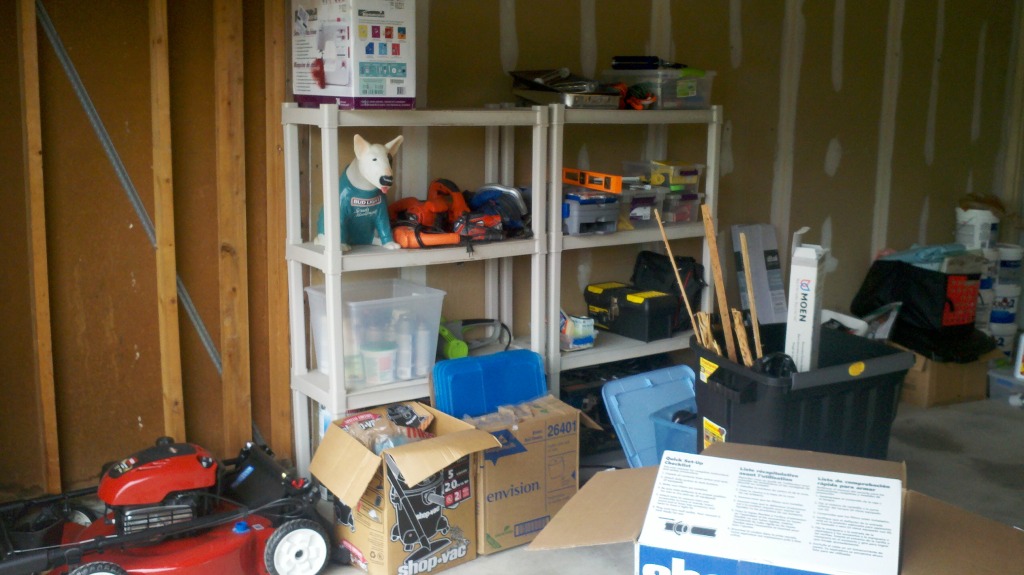
Aaron and Dad got all the tools out of our smaller unit today, and I set up or shelves like the were at the old house. “Aww… just like home” said Aaron.
 

Kellye and Aaron’s New Place

We closed on our new house yesterday at 4pm. We have already torn out carpet, begun removing baseboards and made many trips to the hardware store. We don’t intend to move in until late next week. We are laying new downstairs flooring, painting, and cleaning. We have carpet installers, appliances and miscellaneous servicemen scheduled all through the week. After move-in, we plan to refinish cabinets, bathrooms, and install storage built-ins. I was so excited to rip up the carpet I almost forgot to take before pictures, i’ll post them later.

Renovation Ideas from Pinterest

I am now an avid pinterest user and have found many great ideas. Here are a few that I’m determined to use in our next home.

We are a week away from closing, and I have been trying to plan out as much of the renovations as possible. We’ve decided on many of the flooring and paint colors, but aren’t buying anything until we have the keys in hand. In this home, the kitchen is open to the family room, which has a fireplace flush with the wall. I would like to build in some storage and also place the tv on this wall, but was reluctant to hang it ovet the fireplace. Much like the picture below, the fireplace is smaller than the tv. I like the look of these built-ins, which give the appearance of a recessed fireplace. Most fireplaces with built-ins have an interior chimney, leaving space to create built-ins flush with the front of the fireplace. I like the way that the fireplace below has tile extending past the built-ins, since it is close to the ground.

I may or may not have a mantle, as I am considering tiling the fireplace to the ceiling, like in this photo:

Despite never building a … well, much of anything before, I intend to not only build out the fireplace, but also the dividing walls between the living room and dining room. Three foot walls on either side create a 7 foot opening, in which i would like bookcases facing each other like these:

On the dining room side, I would like small serving counters and storage. On the living room side, I would like laptop desks with storage, like this:

There’s no actual pantry in the kitchen, just a pantry cabinet next to the refridgerator. To get the most use out of the space, I am going to build or buy a drawer system, like this one:

It’s so easy to search for ideas that it’s hard to resist incorporating them all. Another great site to check for inspiration is houzz. A lot of the home images from Pinterest originate from that website. There are thousands of examples for home design and renovation, and are searchable by keywords. You can create idea books as well, which helps to organize your favorites.

Summer Break

I unintentionally took a summer break from reading. It was nice. But summer’s just about over, so now it’s time to get back to it. Here are a few of the things I intend to check out tomorrow:

maybe not this exact book, but something very similar. I intend to do a few built-ins in the next house since it’s a little smaller than the last.

I’m rather certain that the “in 24 hours” part is a farce, given what I know about Objective-C.

Saw this one in a book store a couple months ago but was too cheap to buy it.

Same story as above, but I might just get this one on Amazon.

A Bit Distracted

Since the last post:

I stopped programming

we sold our house,

moved all our stuff into storage,

moved in to my old bedroom at the parents house (yes, both of us),

bought all sorts of fun things,

played a lot of Kinect and Mod Nation Racers on PSVita,

helped my mom move her classroom

got hooked on Doctor Who,

went to the gym a lot,

started using Pinterest,

crocheted a blanket for a friend,

and forgot about this blog.

My husband started a blog for his work and I suddenly remembered I have some of those! And as soon as I have something worth posting about, I’ll do just that.

Customize It: Part 2

So far, I’ve only made one customization that involves CSS, which I wrote about in the previous post. Now it’s time to show some of the many tweaks you can make with just a little added CSS.

Shadows:
The shadows, or shading, around different elements of your blog can add depth and grab attention. Shadows can make elements of your page pop out or sink in. This is the code you’ll need, shown here with no values:

  
-moz-box-shadow: 0 0 0 rgba(0, 0, 0, 0);
-webkit-box-shadow: 0 0 0 rgba(0, 0, 0, 0);
-goog-ms-box-shadow: 0 0 0 rgba(0, 0, 0, 0);
box-shadow: 0 0 0 rgba(0, 0, 0, 0);

To get the desired effect, I have to add the size of the shadow in pixels (px) in the first set of zeros, the color in rgb values the next three zeros, and the opacity as a decimal in the last zero.
-moz-box-shadow: 20px 5px 10px rgba(0, 0, 0, .5);
-webkit-box-shadow: 20px 5px 10px rgba(0, 0, 0, .5);
-goog-ms-box-shadow: 20px 5px 10px rgba(0, 0, 0, .5);
box-shadow: 20px 5px 10px rgba(0, 0, 0, .5);

Going in order, “20px” is the size of the shadow on the right, 5px is the size of the shadow on the bottom, 10px is how blurry the edge is (0px makes a hard, sharp edge on the shadow). The next three zeros determine the color, but I wanted it to stay gray, so I left them all at zero. Because they indicate the values of red, green, and blue respectively, I could make a purple shadow with “rgba(128, 0, 128, .5)“. You can find these values for any color in most image editing programs, but if you aren’t too particular, look here. The last value must be a decimal for the opacity of your shadow. “0” would mean you can’t see it, 1 would mean it’s a completely solid color. I went in the middle with “.5”
Because Blogger will show the changes as you make them, you will see how these values affect your page.
Now for a bit of magic: if you would rather have an inset shadow, all you have to do is add “inset” after each colon.
-moz-box-shadow: inset 5px 5px 5px rgba(0, 0, 0, .5);
-webkit-box-shadow: inset 5px 5px 5px rgba(0, 0, 0, .5);
-goog-ms-box-shadow: inset 5px 5px 5px rgba(0, 0, 0, .5);
box-shadow: inset 5px 5px 5px rgba(0, 0, 0, .5);
 
I changed the shadow to be smaller, since a big inset shadow overlaps the text.
And there you have it! Shade away!
Borders and Corners:
Though some page elements allow you to change the borders of different page elements, the option is not always there. Similarly, some designs have rounded corners and others don’t. Here’s how to change both

The sidebar content in the design I picked for the test blog did not have a border around it or a background. I added a dashed border, rounded corners, and a transparent background to the stuff in the sidebars like this:

aside{ 
border: 2px dashed grey;
moz-border-radius: 8px;
webkit-border-radius: 8px;
border-radius: 8px;
goog-ms-border-radius: 8px;
background: rgba(204, 153, 204, .5);
}
The first statement, “border:” is of course the border. 2px is the thickness of the border. “Dashed” is the style of the border. (Solid, dotted, dashed, and double are among your options.) “Grey” is the color. If you want a different color, you can use words, hexadecimal or rgb colors. The next four statements are about the rounded corner. It’s the same rule stated for each type of browser. The bigger the number, the more rounded the corner. The last value is for the background color. I used rgba so I could have a transparent color, just like the shadows above.
Another quick note, you can use multiple border styles together, or just put border on certain sides. Read more about that on w3schools.

Hover

Hover is usually associated with links, but it can be used on any element. I’m going to use it for rollover image effects in my sidebars. Here’s the CSS I used on the side bar elements to make them show a clip from the background when you hover over them:

Simple enough! I edited this image on my own, added it to another post in my blog, then linked to that image on the post. You can link to any uploaded picture, just make sure that it is yours or free for public use.